Step-by-Step Process for Setting Up a Secure Cold Wallet
Cryptocurrency gives you complete control over your digital assets, but that freedom also comes with significant responsibility. Unlike traditional banking systems, there is usually no customer support that can recover your funds if your wallet is compromised or your recovery phrase is lost.
As digital assets continue to grow in popularity, cybercriminals constantly develop new ways to target cryptocurrency holders. Online wallets, phishing attacks, malware, and fake wallet applications remain common security threats. This is why experienced investors often rely on cold wallets for long-term storage.
A cold wallet stores your private keys offline, making it much more difficult for hackers to gain unauthorized access. Whether you own a small amount of cryptocurrency or a diversified investment portfolio, understanding how to properly set up a cold wallet is one of the most valuable security skills you can learn.
This guide explains the entire process in a beginner-friendly way while highlighting important security practices that can help reduce unnecessary risks.
Why Cold Wallet Security Matters
Many people believe that simply buying a hardware wallet automatically makes their cryptocurrency safe. In reality, security depends far more on how the wallet is set up and maintained than on the device itself.
A single mistake during setup can expose recovery phrases, private keys, or sensitive information that attackers may later exploit.
Proper setup helps protect against:
- Phishing attacks
- Malware infections
- Exchange hacks
- Unauthorized remote access
- Accidental loss of wallet credentials
- Human error during wallet backup
Security starts before the wallet is even powered on.
Understanding What a Cold Wallet Really Is
A cold wallet is a cryptocurrency wallet that stores private keys completely offline.
Unlike software wallets connected to the internet, cold wallets significantly reduce exposure to online attacks because the private keys never remain continuously connected to a network.
Common types include:
Hardware Wallets
Small physical devices specifically designed to store cryptocurrency securely.
Air-Gapped Wallets
Devices that never connect directly to the internet and communicate through QR codes or removable storage.
Paper Wallets
Printed private keys or recovery information stored physically. While once popular, they require careful handling and are generally less practical for beginners.
Among these options, hardware wallets are often considered the most user-friendly for everyday investors.
Before You Begin the Setup Process
Preparation is one of the most overlooked parts of wallet security.
Before opening your wallet package, make sure you have:
- A clean workspace
- Reliable lighting
- Pen and paper for writing recovery phrases
- Enough uninterrupted time
- A secure location away from cameras or strangers
Avoid setting up a wallet in crowded public spaces where someone could observe sensitive information.
Step 1: Inspect the Device Carefully
Before connecting the wallet to any computer, inspect the packaging carefully.
Look for:
- Broken security seals
- Signs of tampering
- Damaged packaging
- Unexpected accessories
- Scratches suggesting prior use
If anything appears suspicious, do not continue the setup process.
A trusted device should arrive in its original condition.
Step 2: Download Official Wallet Software
Most hardware wallets require companion software.
Always download software directly from the official manufacturer's website.
Avoid:
- Third-party download sites
- Links shared on social media
- Email attachments
- Sponsored advertisements without verification
Fake wallet software is one of the most common ways attackers steal cryptocurrency.
Double-check the website address carefully before downloading anything.
Step 3: Connect the Device Safely
Connect the wallet using the provided cable.
Follow the on-screen instructions displayed by the official software.
The wallet may ask you to:
- Create a new wallet
- Initialize the device
- Confirm security settings
- Verify firmware
Take your time.
There is no advantage to rushing this process.
Step 4: Create a New Wallet
Choose the option to create a brand-new wallet.
Avoid importing unknown wallet information unless you are intentionally recovering an existing wallet.
The device will generate:
- Private keys
- Public addresses
- Recovery phrase
These are generated securely inside the wallet itself.
The private keys should never leave the secure hardware environment.
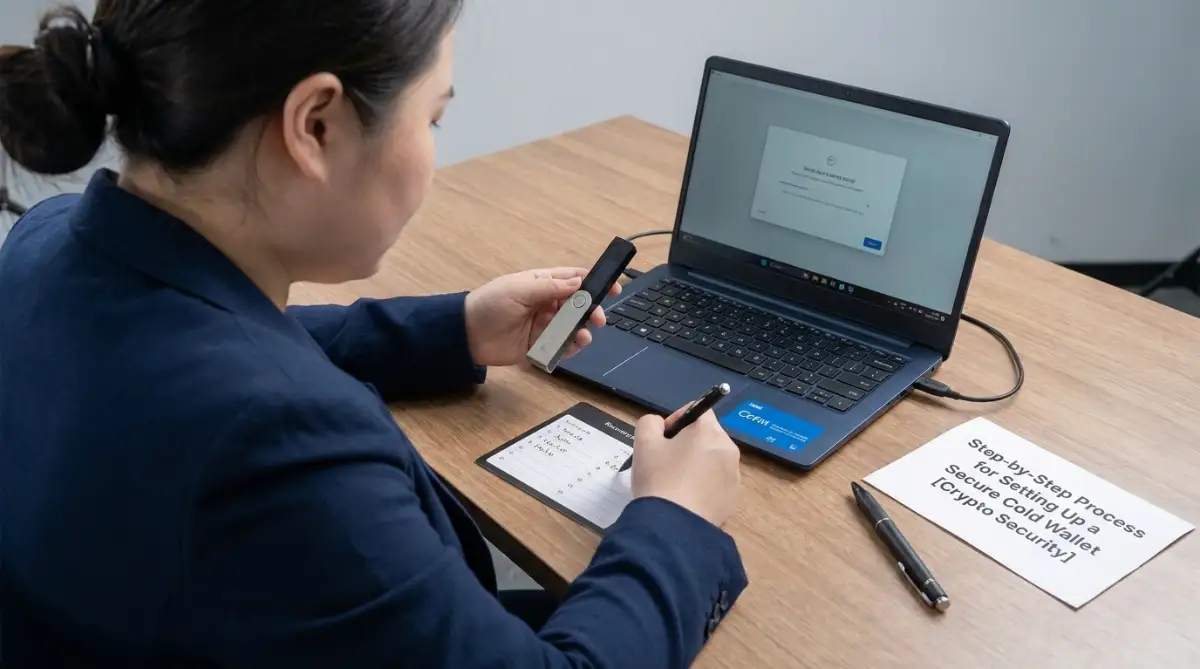
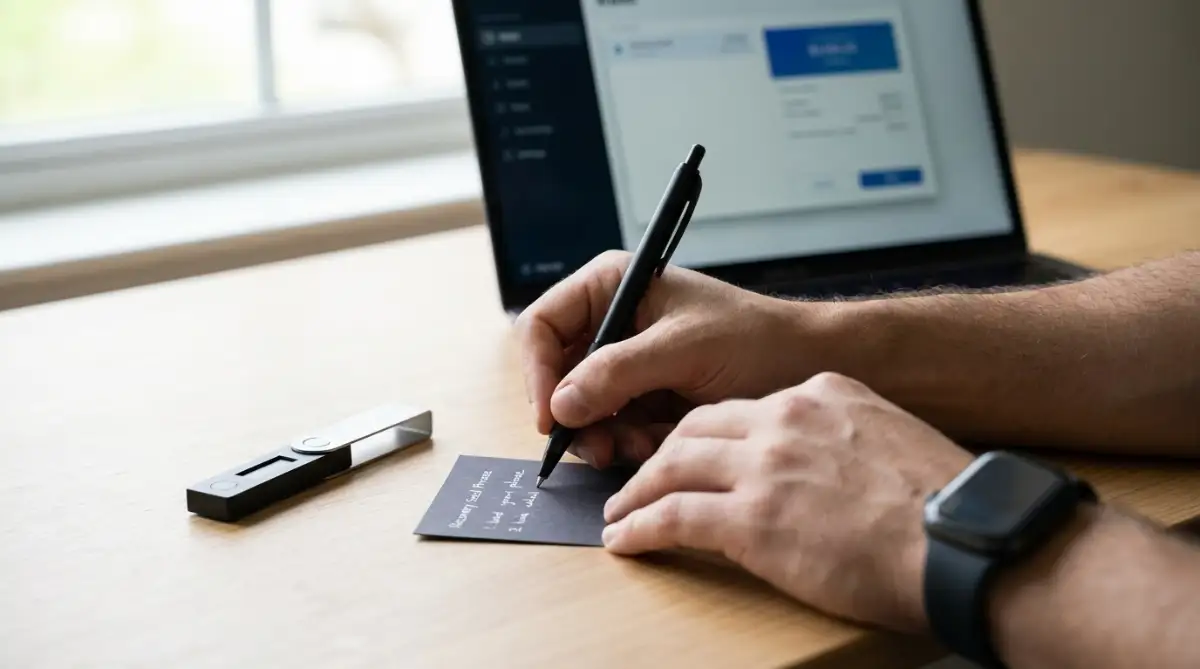
Step 5: Write Down the Recovery Phrase
This is the most important step.
The recovery phrase usually contains multiple words presented in a specific order.
Write every word exactly as displayed.
Never:
- Take screenshots
- Save it in cloud storage
- Email it to yourself
- Store it inside phone notes
- Upload photographs online
Paper backups remain one of the safest options when stored properly.
Some users create multiple handwritten copies stored in separate secure locations.
Step 6: Verify the Recovery Phrase
Most wallets require you to confirm the recovery phrase by selecting the words in the correct order.
This step ensures that you copied everything correctly.
Do not skip verification.
A single spelling mistake could make future wallet recovery impossible.
Always review each word carefully.
Step 7: Create a Strong PIN
Your hardware wallet usually requires a PIN before it can be accessed.
Choose something difficult to guess.
Avoid using:
- Birthdays
- Phone numbers
- Repeated digits
- Simple patterns
- Easy sequences
A strong PIN adds another protective layer if the device is ever lost or stolen.
Step 8: Update Firmware if Necessary
Manufacturers occasionally release firmware updates that improve security and fix vulnerabilities.
Only install updates offered through the official wallet software.
Never install firmware from unofficial websites.
Before updating:
- Ensure the device has sufficient power.
- Verify the software source.
- Follow every instruction carefully.
Keeping firmware current helps maintain the wallet's security over time.
Step 9: Generate Your First Receiving Address
After setup is complete, your wallet can generate cryptocurrency receiving addresses.
Always verify the address shown:
- On the wallet device
- Inside the official software
Both should match exactly.
This helps protect against malware that attempts to replace copied wallet addresses.
Never rely solely on what appears on your computer screen.
Step 10: Perform a Small Test Transaction
Before transferring your entire cryptocurrency balance, send a small amount first.
This allows you to verify:
- The wallet functions correctly
- The address is accurate
- Funds arrive successfully
- You understand the transfer process
Once the test transaction succeeds, larger transfers become much less stressful.
Starting with a small amount reduces the chance of costly mistakes.
Common Security Mistakes to Avoid
Even the best wallet cannot protect against poor security habits.
Some of the most common mistakes include:
Sharing Recovery Phrases
No legitimate company, wallet manufacturer, or support representative should ask for your recovery phrase.
Anyone requesting it should be treated as suspicious.
Storing Recovery Words Digitally
Cloud services can be compromised.
Offline storage significantly reduces exposure.
Ignoring Device Updates
Outdated firmware may contain known security weaknesses.
Regularly checking for official updates is a good practice.
Using Public Computers
Never initialize or manage a cryptocurrency wallet on shared computers.
Malware or keyloggers may capture sensitive information.
Falling for Fake Customer Support
Scammers often pretend to represent wallet companies.
Always contact support through official communication channels listed on the manufacturer's website.
Building Long-Term Cold Wallet Security Habits
Setting up the wallet is only the beginning.
Strong security comes from consistent habits over time.
Consider these ongoing practices:
Store the Wallet Securely
Keep the device in a safe location protected from theft, fire, and water damage whenever possible.
Protect Backup Copies
If you maintain multiple recovery phrase backups, store them separately.
This reduces the chance that one incident destroys every backup.
Review Security Periodically
Occasionally verify that:
- You still know where your backups are.
- The recovery phrase remains readable.
- The storage location remains secure.
Stay Informed
Cybersecurity evolves constantly.
Learning about new scams and attack techniques helps you recognize suspicious activity before it becomes a problem.
Protecting Your Digital Assets Starts With Smart Preparation
Owning cryptocurrency means taking responsibility for your own security. A carefully configured cold wallet provides a strong foundation for protecting digital assets from many common online threats, but its effectiveness depends on thoughtful preparation, accurate backups, and disciplined security habits.
By inspecting the device, using official software, safeguarding your recovery phrase, creating a strong PIN, verifying addresses, and testing transactions before transferring larger balances, you greatly reduce the likelihood of preventable mistakes. Good security is not based on a single action—it is built through consistent attention to detail and ongoing awareness of evolving risks.
Learning these practices today can help you manage your cryptocurrency with greater confidence while keeping your long-term investments better protected.
Strengthening Your Cold Wallet Security Beyond the Initial Setup
Setting up a cold wallet correctly is an excellent first step, but long-term cryptocurrency security depends on much more than the initial configuration. As your portfolio grows, your security habits should evolve as well. Cyber threats continue to change, and many successful attacks target human behavior rather than hardware itself.
Developing a security-focused mindset helps reduce unnecessary risks while making your digital asset management more organized and reliable. The following best practices can help you maintain a secure cold wallet environment for years to come.
Create a Personal Security Routine
One of the biggest advantages of experienced cryptocurrency users is consistency. Instead of making random security decisions, they follow a routine whenever they interact with their wallets.
Consider creating a simple checklist before every transaction:
- Confirm the destination wallet address.
- Verify the amount before approving.
- Check that the device screen matches the software.
- Ensure you are using official wallet software.
- Disconnect the wallet after completing the transaction.
- Store the device back in its secure location.
Following the same process every time reduces the likelihood of accidental mistakes.
Protect Your Recovery Phrase Like a Valuable Asset
Many people focus heavily on protecting the hardware wallet itself while overlooking the recovery phrase. In reality, the recovery phrase is often more valuable than the device.
Anyone who gains access to the recovery phrase may be able to restore the wallet on another compatible device.
To improve protection:
- Never share the recovery phrase with anyone.
- Keep it offline at all times.
- Avoid typing it into computers or smartphones.
- Protect it from fire, water, humidity, and physical damage.
- Periodically check that it remains readable.
Some users also use durable backup materials designed to withstand environmental damage. Whatever storage method you choose, prioritize security and accessibility for legitimate recovery.
Recognize Social Engineering Attacks
Not every attack relies on advanced technology. Many criminals simply manipulate people into revealing sensitive information.
Common examples include:
Fake Technical Support
Scammers may claim that your wallet has a problem and ask you to verify your recovery phrase.
Legitimate wallet companies will never ask for your recovery phrase.
Urgent Security Warnings
Messages claiming that your wallet is "about to be suspended" or that "funds are at immediate risk" are often designed to create panic.
Always verify information through official channels.
Impersonation Accounts
Fraudsters frequently copy official company logos and usernames on social media.
Always double-check account authenticity before interacting.
Remaining calm and skeptical is one of the strongest security defenses available.
Keep Your Computer Environment Secure
Although private keys stay inside the hardware wallet, the computer you use still plays an important role.
Maintain good cybersecurity habits by:
- Keeping your operating system updated.
- Installing security updates promptly.
- Using reputable antivirus software if appropriate for your system.
- Avoiding unknown software downloads.
- Being cautious with browser extensions.
- Scanning suspicious files before opening them.
A secure computer complements the security of your cold wallet.
Verify Every Cryptocurrency Address Carefully
Clipboard malware is a known threat that replaces copied cryptocurrency addresses with an attacker's address.
Reduce this risk by verifying:
- The first several characters.
- The final several characters.
- The complete address displayed on the wallet screen.
Never rely solely on copied text.
The wallet's own display is generally the trusted source for transaction confirmation.
Separate Long-Term Storage From Daily Spending
Many experienced cryptocurrency users separate their assets according to purpose.
For example:
- A cold wallet for long-term holdings.
- A software wallet for smaller daily transactions.
This approach limits unnecessary exposure while allowing convenient access to funds intended for regular use.
Keeping only the amount you actively need in an internet-connected wallet reduces overall risk.
Understand the Importance of Physical Security
Digital security often receives the most attention, but physical security is equally important.
Consider questions such as:
- Who knows you own cryptocurrency?
- Who has access to your home?
- Where is the wallet stored?
- Could someone accidentally discover your recovery phrase?
Avoid discussing the size of your cryptocurrency holdings publicly.
Limiting unnecessary exposure helps reduce personal security risks.
Travel With Extra Caution
Travel introduces additional security challenges.
If traveling with a hardware wallet:
- Keep it under your personal control.
- Avoid leaving it unattended.
- Do not expose the recovery phrase during inspections.
- Be cautious when connecting devices in unfamiliar environments.
If the wallet is not required during the trip, storing it securely at home may be the safer option.
Organize Your Digital Asset Records
As cryptocurrency holdings expand, organization becomes increasingly valuable.
Maintain private records of:
- Wallet names.
- Supported cryptocurrencies.
- Backup locations.
- Device purchase information.
- Firmware update history.
- Important recovery instructions.
These records should never include private keys or recovery phrases in digital form.
Good organization makes future wallet management significantly easier.
Prepare for Unexpected Situations
Life is unpredictable.
Responsible cryptocurrency ownership includes planning for emergencies.
Think about scenarios such as:
- Hardware failure.
- Natural disasters.
- Theft.
- Accidental loss.
- Long-term illness.
A secure recovery plan helps ensure you can regain access to your assets if something unexpected happens.
Review your plan periodically and update it whenever circumstances change.
Signs That Something May Be Wrong
Being able to recognize warning signs early can prevent larger problems.
Watch for situations such as:
- Wallet software behaving unexpectedly.
- Unrecognized transaction requests.
- Sudden requests for recovery phrases.
- Unexpected firmware notifications from unofficial sources.
- Browser redirects to unfamiliar websites.
- Emails requesting urgent wallet verification.
Whenever something feels unusual, pause and verify before taking action.
Good Habits That Build Long-Term Confidence
Security is not about living in constant fear.
Instead, focus on building reliable habits.
Examples include:
- Double-checking every transaction.
- Keeping software updated.
- Using strong passwords for related accounts.
- Backing up important information securely.
- Staying informed about common scams.
- Reviewing wallet settings occasionally.
Small habits performed consistently often provide stronger protection than complex security systems used inconsistently.
Frequently Asked Questions
Is a cold wallet completely hack-proof?
No security solution is perfect. However, cold wallets greatly reduce online attack risks because private keys remain offline. Proper setup and careful handling are still essential.
Can I lose my cryptocurrency if the hardware wallet breaks?
Not necessarily. If you have your recovery phrase stored safely, you can usually restore access using a compatible wallet.
How many recovery phrase copies should I keep?
Many people keep more than one handwritten backup in separate secure locations. The exact number depends on your personal risk tolerance and storage options.
Should I connect my cold wallet frequently?
Many long-term investors connect their wallets only when necessary to reduce unnecessary exposure. However, follow the manufacturer's recommendations for updates and maintenance.
Is a cold wallet suitable for beginners?
Yes. Modern hardware wallets are designed with beginner-friendly setup processes, but following each security step carefully is far more important than rushing through the installation.
Should I test my recovery phrase?
Yes. Many wallet manufacturers recommend verifying that your recovery phrase works correctly before storing significant cryptocurrency. Always follow the official instructions provided with your wallet.
Can I own more than one cold wallet?
Yes. Some investors use multiple wallets to organize different investment goals or diversify storage. The best approach depends on your personal preferences, risk tolerance, and management strategy.
What happens if I forget my PIN?
Many hardware wallets can be recovered using the recovery phrase. However, without the recovery phrase, forgetting the PIN could result in losing access to the wallet.
Is storing cryptocurrency offline enough?
Offline storage greatly improves security, but safe habits remain essential. Protecting recovery phrases, verifying transactions, and avoiding scams are equally important.
How often should I review my security practices?
Reviewing your security procedures periodically is a good habit, especially after major software updates or changes in your personal circumstances.

A Practical Security Checklist
Before considering your wallet setup complete, make sure you can confidently answer "yes" to the following questions:
- Have I stored my recovery phrase safely offline?
- Have I confirmed every recovery word is accurate?
- Is my wallet PIN strong and unique?
- Do I know how to recover my wallet if the device fails?
- Am I using only official wallet software?
- Have I successfully completed a test transaction?
- Do I verify addresses using the hardware wallet display?
- Is my computer reasonably protected against malware?
- Is my wallet stored securely when not in use?
- Have I avoided sharing sensitive information with anyone?
If you answer "no" to any of these questions, improving those areas can strengthen your overall security.
Building Confidence Through Continuous Learning
Cryptocurrency security is an ongoing process rather than a one-time task. New technologies, attack methods, and best practices continue to emerge, making continuous learning one of the most valuable investments you can make.
Spend time reading official wallet documentation, learning about common scams, and understanding how blockchain transactions work. The more knowledgeable you become, the easier it is to recognize suspicious activity and make informed decisions.
Remember that strong security is built through preparation, patience, and careful attention to detail—not through shortcuts or quick fixes. A well-managed cold wallet, combined with responsible security habits, provides a reliable foundation for protecting your digital assets while giving you greater confidence as you navigate the cryptocurrency ecosystem.
Disclaimer
This article is provided for educational and informational purposes only and should not be considered financial, investment, legal, tax, or cybersecurity advice. Cryptocurrency involves risks, including the potential loss of digital assets due to user error, market volatility, or security incidents. Always verify information through official wallet documentation, follow the manufacturer's instructions, and conduct your own research before making decisions related to cryptocurrency storage or investments.